
AutoTracker
Log fill-ups and services in seconds, see what each vehicle really costs to run, and keep every receipt with the record it belongs to.
What it does
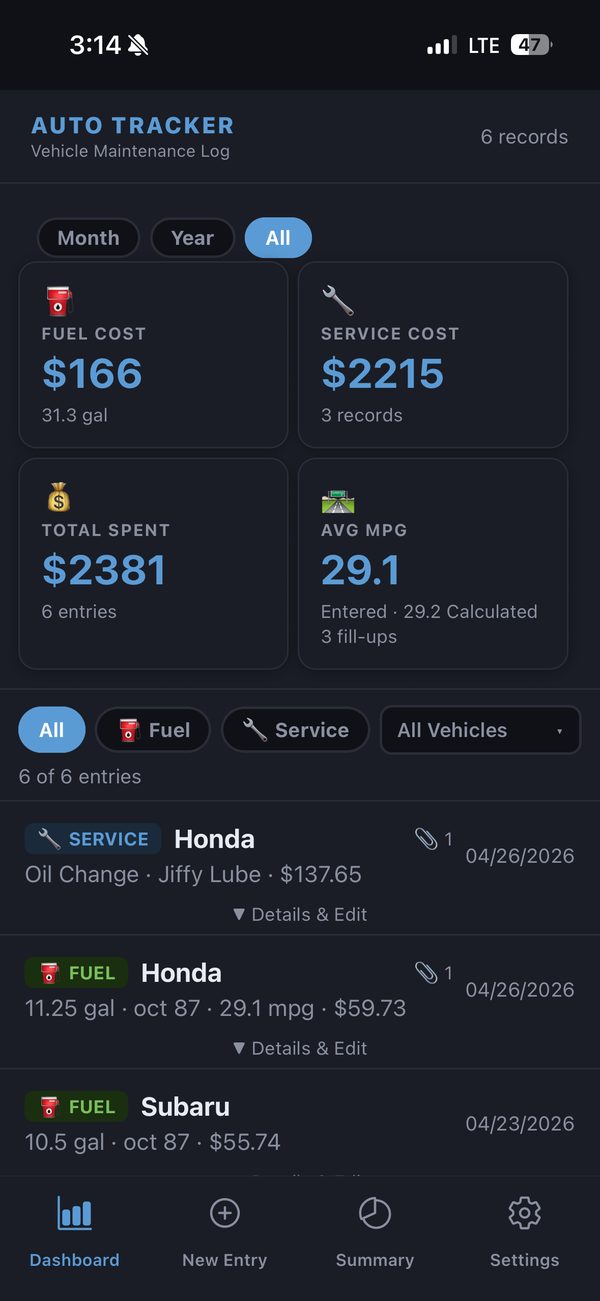
- Fuel entries: amount, price, octane and odometer. Fuel economy (MPG or L/100 km) is worked out for you.
- Maintenance entries: pick a service type (oil change, tires, brakes and more), then add the cost, the shop and notes.
- Receipts: take a photo, pick one from your library or attach a PDF.
- Dashboard and Summary: total spend, average fuel economy and miles driven, by period and by vehicle.
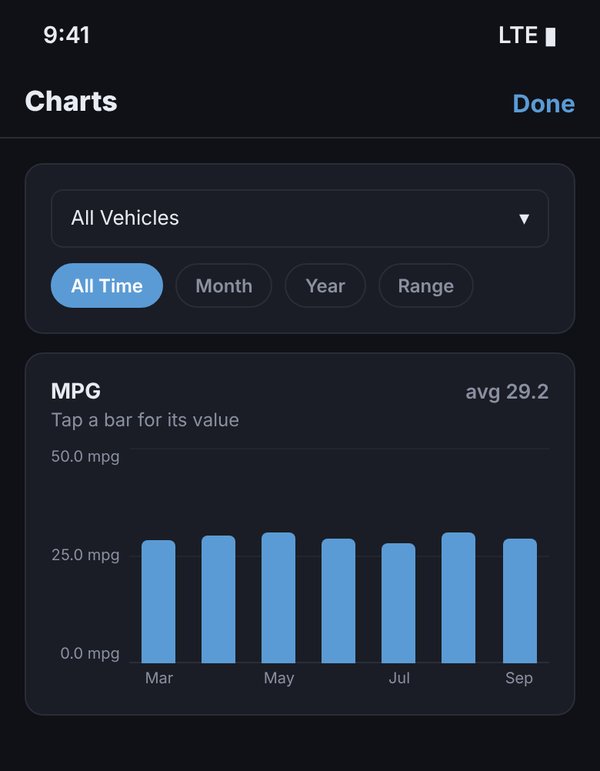
- Charts: open Summary → Charts for five bar charts covering any vehicle and period (all time, a month, a year or your own date range): miles driven, MPG with your average, fuel used, cost per mile and maintenance costs. Tap a bar to read its exact value.
- As many vehicles as you like, each with its own maintenance items and documents.
- Apple Watch: log a fill-up from your wrist.
- CSV and ZIP export and import, so your records are never locked in.
- Your choice of storage: keep everything on the iPhone, or keep a synced copy in a Files folder (such as iCloud Drive), on Nextcloud or on any WebDAV server.
- Access on your computer: turn on LAN access and open your records in a browser on any computer on the same Wi-Fi.
- US or metric units, with light, dark or automatic themes.
Price
AutoTracker is free for 15 days with every feature. After that, a single in-app purchase unlocks it for good. There’s no subscription.
Private by design
There’s no account to create, no ads and no analytics. Your records stay on your device or in the storage you choose. Read the AutoTracker privacy policy.